“Engagement” is one of those words marketers throw around without defining. For a restaurant table, it has a specific meaning: the number of meaningful actions a guest takes at the table beyond eating — reading the menu, signing up for loyalty, leaving a review, tagging the venue on social, or simply coming back. NFC tags consistently deliver more of each compared to static QR codes, and the difference is often 3x or more. Here's why, where the number comes from, and how to set up your first tag.
What “table engagement” actually means
Four signals matter, in roughly this order:
- Menu page views. Did the guest actually look at the menu on their phone?
- Interactions on the page. Did they scroll, expand categories, read details, check allergens?
- Actions after the page. Loyalty opt-in, review, social follow, order.
- Return visits. Did the guest come back? Hardest to measure, biggest to move.
QR-based setups usually only reliably measure the first one (and even that, poorly). Well-designed NFC setups measure all four.
Why static QR codes plateau
Most QR menus hit a natural ceiling around 25–35% of tables scanning, then stop improving no matter how much you optimize. Three reasons:
- The camera-open sequence is permanent friction. You can't remove it without changing the code itself.
- Static codes can't change their destination without reprinting. That kills iteration speed.
- Analytics are downstream of the URL. You see page views but not tap intent.
The ceiling isn't because QR is “bad.” It's because QR is a one-way broadcast surface, and engagement is a two-way loop.
How NFC changes the interaction
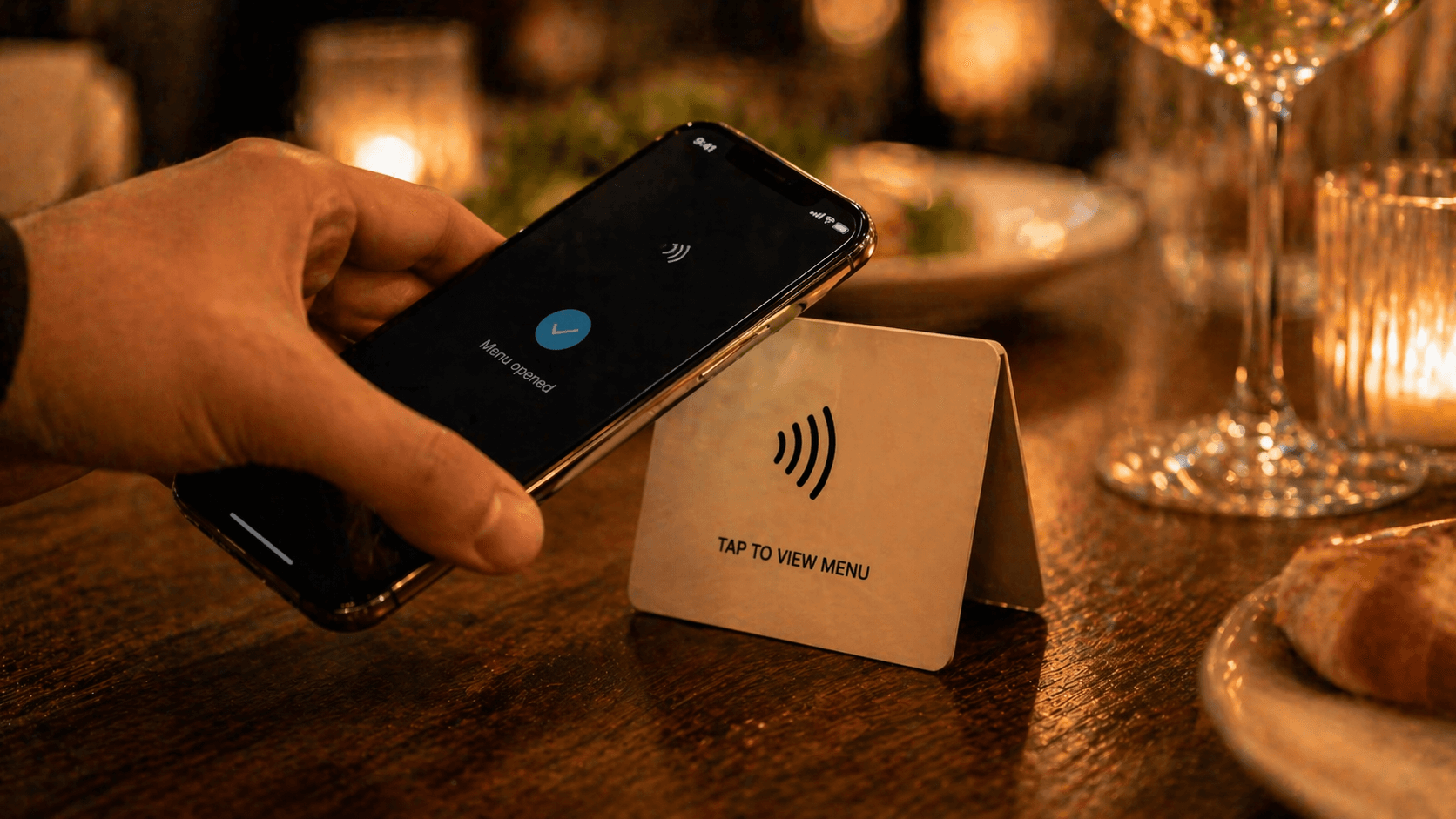
NFC replaces camera-open-aim-tap with a single tap. That single change moves three numbers:
- Tap rate goes up. No camera means guests who would have glanced at the code and moved on actually engage.
- Time-to-menu drops. From 4–7 seconds to under 1.
- First-tap conversion improves. Guests who tap once are more likely to tap again — loyalty, review, order.
The second effect is more interesting. Because each tag's destination resolves server-side, you can repoint every tag in the venue mid-service without touching hardware. Tuesday tasting menu? Repoint. Mother's Day? Promotional landing. Next week? Back to normal. The experiment cost is near-zero, which means you'll actually run experiments.
Where the 3x number comes from
The 3x claim is directional, not universal. Here's where it actually holds up:
- Venues switching from a buried or flat QR sticker to an eye-level NFC tap card commonly see 2x–4x more menu page views per seated guest.
- Full-service venues that add a “tap for specials” NFC card alongside existing QR see 2x–3x higher interaction on specials vs. specials-on-the-QR-menu baselines.
- Loyalty opt-in conversion via NFC is typically 2x–5x higher than via a URL typed after a QR scan — the tap is fresh; the loyalty prompt lands before friction sets in.
Industry-wide numbers are harder to cite cleanly — engagement baselines vary by venue type, region, and menu complexity. Treat “3x” as a reasonable expectation for a well-placed, well-copy'd NFC deployment replacing a mediocre QR setup. Your mileage will vary, and the analytics will tell the truth.
Note
If your current QR adoption is already strong — say, 60%+ at a QSR where the menu is the onlyway to order — NFC will help, but the lift will be smaller. The biggest gains are in venues with mid-tier QR adoption and a hybrid paper setup.
Real-world NFC use cases
Beyond the menu, an NFC tag at the table is a general-purpose tap surface. The most common uses we see:
- Menu. The default. Tap for the live menu.
- Specials. A separate tag for today's specials or tasting menu.
- Service requests. Tap to call the waiter, request the bill, ask for water, or any custom request your venue configures.
- Loyalty signup. One tap, two fields, done.
- Google review prompt. Tap after payment.
- WiFi. Tap to join the guest network.
- Social follow. Tap to see Instagram / TikTok.
You don't need all of these. Start with menu. Add one more based on what your venue needs most.
Service requests, done correctly
Tappflow pairs the menu tap with a service-request flow — call waiter, request bill, request water, or any request type you define. The assigned server gets a push notification on their phone. A tap-again confirmation prevents pranks and accidental taps (the pattern that used to tank these features on earlier platforms). Most owners adopt this right after the menu, because it's the feature guests notice without being told about.
Setting up your first tag
Getting your first NFC tag live takes about 15 minutes. Here's the sequence:
- 1
Claim the tag in your dashboard
On a modern platform, each tag arrives with a claim code. Redeem it once, and the tag is bound to your venue.
- 2
Pick your destination
Choose what the tag opens: your menu, today's specials, a call-waiter request, a review page. You can change this at any time without touching the tag.
- 3
Mount the tag at eye level
Table tent, menu holder, or counter-top card. Avoid flat-on-tabletop mounts — guests don't look down.
- 4
Add a short context line
“Tap phone here for menu” is enough. Remove hesitation for first-time users.
- 5
Watch the analytics for a week
Taps per table, peak hours, drop-off. You'll see patterns by day three that tell you what to tweak.
Screenshot coming soon
Assigning a destination to an NFC tag in the Tappflow dashboard — one-tap setup for a new table.
Measuring the lift
Set a baseline before you switch. For two weeks before your NFC rollout, record four numbers weekly: QR scans per seated guest, menu-page dwell time, loyalty opt-ins, and Google reviews. After NFC is live, measure the same four for two more weeks. The delta is your lift.
If menu views and loyalty opt-ins don't move after two weeks, the weak link isn't NFC — it's placement, prompt copy, or the page the tap opens. Platforms with per-tag analytics (Tappflow's dashboard surfaces this by default) make the diagnosis faster because you can see which tables are lagging, not just aggregate numbers.
Frequently asked questions
It is directional, not a universal guarantee. Venues replacing a buried QR sticker with a well-placed NFC tag plus short context copy ('Tap for menu') commonly see 2–4x the interactions. Venues that already had strong QR adoption will see a smaller lift.
You need a platform app or web dashboard to write the URL to the tag once. After that, guests never need an app — their phone reads the tag natively.
Commercial NFC tags are rated for 100,000+ rewrites and typically 10+ years of physical life when mounted on a stable surface. The chip outlasts the adhesive in most cases.
Yes. Tap count, timestamp, and destination path are enough to measure engagement. You do not need to identify guests — and not identifying them is often better for trust and for compliance.
See Tappflow at work in your restaurant
NFC tags, a digital menu, and instant updates — built together so you never reprint a menu again.